How to Install the new Launcher
How to install the Wintouch Launcher
1. Double-click "Microsoft Edge"

2. Click the search bar and type "http://tinyurl.com/wintouchlauncher"

3. Click "Download"

4. Click "Download anyway"

5. Once the download is finished then click "Show in folder"
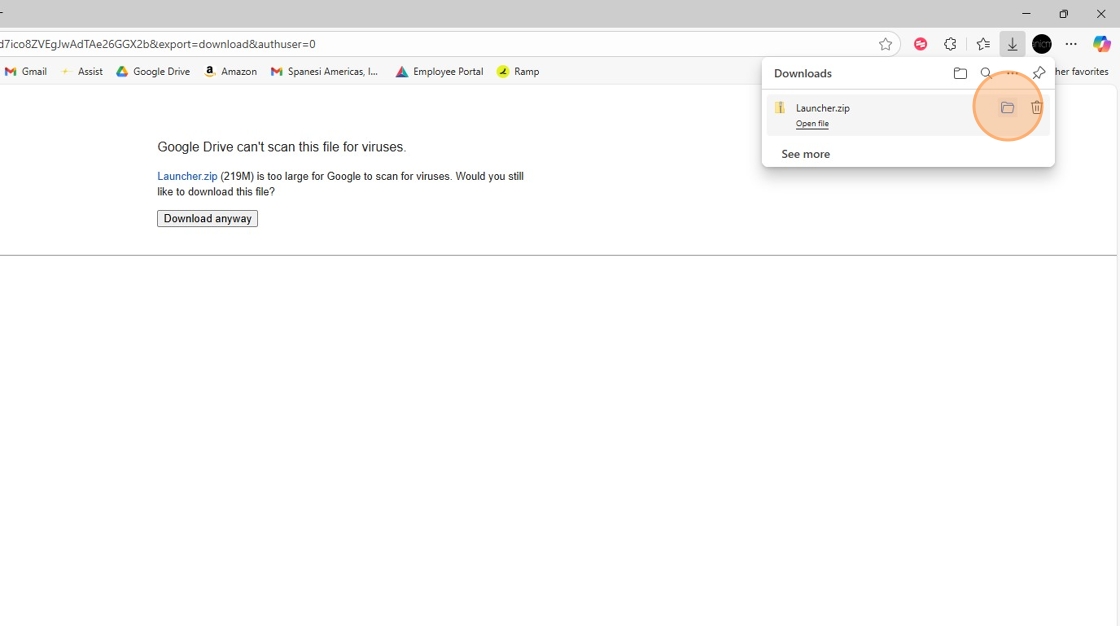
6. Right Click on the Launcher.zip

7. Click "Extract All..."

8. Click "Extract"

9. Double-click the "Wintouch Launcher" folder

10. Double-click "Setup.exe" to run the installation

11. Click "OK"

12. Click "Next" a couple times till you're at the Install window

13. click "Install"

14. Click "Next"

15. Click "I accept this agreement"

16. Click "Next"

17. Click "Finish"

18. Click "No, I will restart my computer later."

19. Click "Finish", You now have successfully installed the Wintouch Launcher, after this you will no longer need a unblocking code and the updates will be automatic.

Made with Scribe
Related Articles
Square plug unit wont connect
If you are having issues connecting your square plug touch unit to the new Spanesi Launcher. Download and run this update then your unit should connect like normal. https://customer.spanesi.it/download/launcher/Spanesi_Launcher_V3.EXESpanesi Touch Update Process 2026
Spanesi Touch Update Process 2026 1. Check the current update version. Double-click "Spanesi SpA Touch 1.1" 2. Click "OK" 3. Click "Settings" 4. Click "View updates" 5. If the "Number of cars into the database:" is not around 7,694, you will need an ...Touch Error "Microsoft.ACE.OLEDB.16.0 is not registered"
Error was Microsoft.ACE.OLEDB.16.0 is not registered. Had to force install AccessDataBaseEngineX64 by downloading the file and then running this command type cmd in the folders address bar then type AccessDatabaseEngine_x64.exe /Quiet /Passive ...Spanesi Wheels Update Process 2024-1.0 (Sept 26, 2024)
Perform all Windows Operating System updates prior to any Spanesi Wheels updates. Check the current version of the Wheels software and vehicle database. Open Spanesi SpA Wheels 1.1. Click Settings then View Updates. On the left hand side of the ...